
This article shows how to visualize 3D data and save it as an animated GIF using Matplotlib and NumPy. This technique is especially useful for representing 3D data that changes over time.
Generated GIF
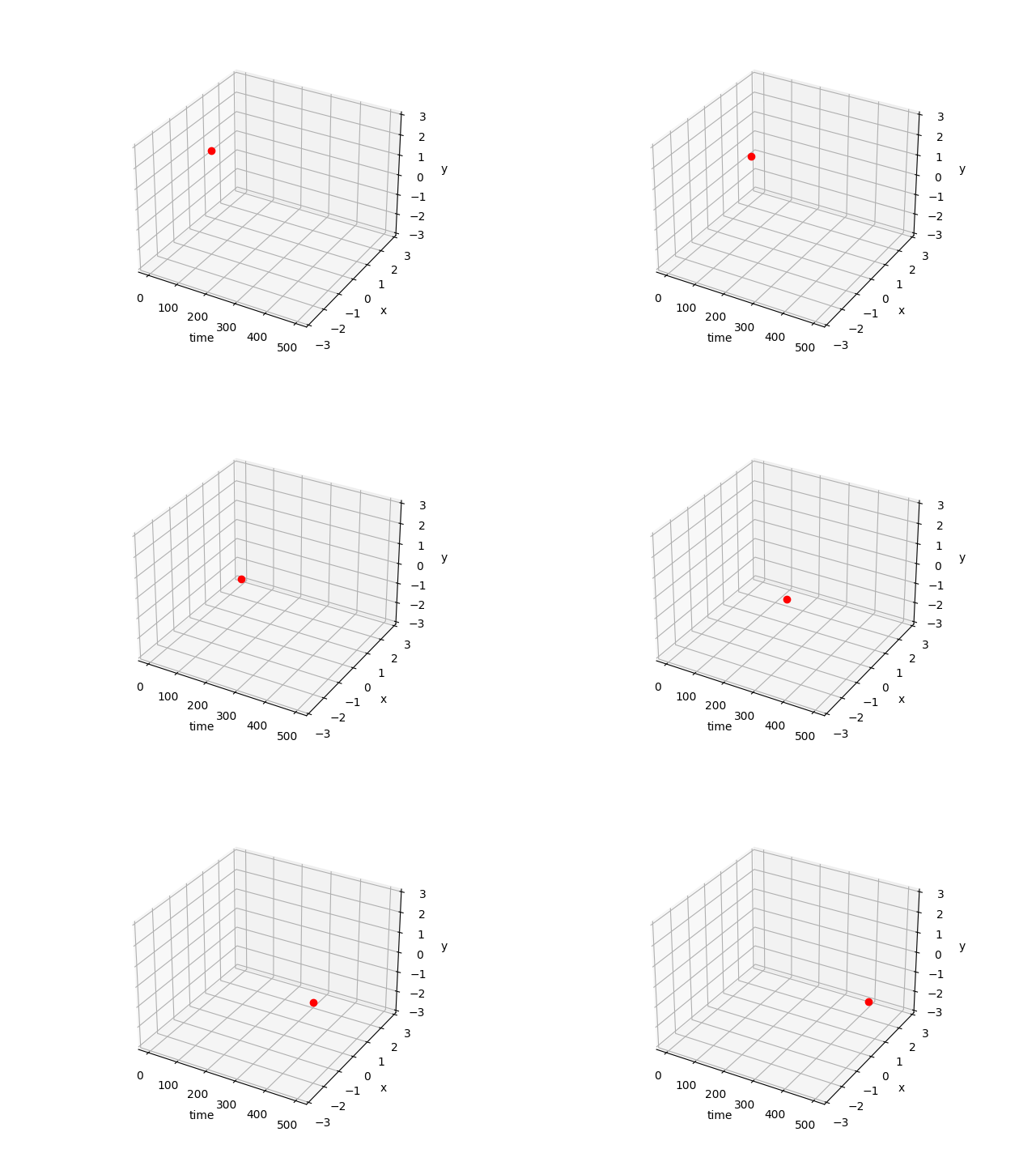
Code
import numpy as np
import matplotlib.pyplot as plt
import matplotlib.animation as animation
from mpl_toolkits.mplot3d import Axes3D # Required for 3D plotting

def make_animation(data_frames, filename="animation.gif"):
    """
    Create and save a 3D data animation as a GIF.

    :param data_frames: List of 3D coordinates (X, Y, Z) for each frame.
                        Example: [[X_frame1, Y_frame1, Z_frame1], [X_frame2, Y_frame2, Z_frame2], ...]
    :param filename: Path to save the GIF file.
    """
    print("Generating frames...")

    fig = plt.figure(figsize=(8, 6)) # Specify figure size
    ax = fig.add_subplot(111, projection='3d')

    # Set axis labels
    ax.set_xlabel('X-axis')
    ax.set_ylabel('Y-axis')
    ax.set_zlabel('Z-axis')

    # Auto-adjust axis range to fit data, or set manually
    # ax.set_xlim(-500, 500) # Example
    # ax.set_ylim(-3, 3)
    # ax.set_zlim(-3, 3)

    ims = [] # List to store Artist objects for each frame

    for i, (X, Y, Z) in enumerate(data_frames):
        # Display progress
        progress = (i + 1) * 100 / len(data_frames)
        print(f"\rProgress: {progress:.1f}%", end="")

        # 3D plot. marker='o' displays points, linestyle='None' hides lines
        im, = ax.plot(X, Y, Z, marker="o", color="red", linestyle='None') # Unpack with comma

        ims.append([im]) # ArtistAnimation expects a list of lists

    print("\nGenerating animation...")

    # Create animation
    # fig: The Figure object for the animation
    # ims: List of Artist objects for each frame
    # interval: Delay between frames (milliseconds)
    # blit: If True, only redraw changed parts for speed (may cause issues with complex 3D plots)
    ani = animation.ArtistAnimation(fig, ims, interval=50, blit=False)

    # Save animation
    # writer: Writer for saving the animation. May require 'ffmpeg' or 'imagemagick'.
    # fps: Frames per second
    ani.save(filename, writer='pillow', fps=20) # 'pillow' can save GIFs without external tools

    print(f"Animation saved to {filename}.")
    plt.show() # Display the animation

def main():
    # Generate sample data
    # 3D trajectory where sin and cos waves change with time t
    t = np.linspace(0, 20 * np.pi, 500) # 500 points from 0 to 20pi

    data_frames = []
    for i in range(len(t)):
        # Example: plot one point per frame
        X_val = t[i] / (20 * np.pi) * 5 # X-axis changes with time
        Y_val = np.sin(t[i])
        Z_val = np.cos(t[i])
        data_frames.append([[X_val], [Y_val], [Z_val]]) # Wrap each value in a list

    make_animation(data_frames, filename="sin_cos_3d_animation.gif")

if __name__ == '__main__':
  main()
Code Explanation
matplotlib.animation.ArtistAnimation: Creates an animation by passing a list of Artist objects returned by theplotfunction, which are drawn for each frame.fig.add_subplot(111, projection='3d'): Required for creating 3D plots.ax.plot(X, Y, Z, ...): Plots data in 3D space. Customize the appearance withmarker,color,linestyle, etc.ani.save(filename, writer='pillow', fps=20): Saves the animation as a GIF file.writer='pillow': Uses the Pillow library to generate the GIF. Requirespip install pillowbut does not need external tools likeffmpeg.fps: Frames Per Second, controls the animation speed.
- Progress bar: Uses
\rto overwrite the same line, displaying a progress indicator in the console.
Feel free to use this code as a reference to animate and visualize various 3D datasets.
Related Articles
- Matplotlib Practical Tips: Creating Publication-Quality Figures - Tips for rcParams configuration, font settings, colormap selection, and vector output to create publication-ready figures with Matplotlib.
- How to Overwrite Print Output in Python - Detailed explanation of the
\rprogress bar technique used in this article’s code. - Python Progress Bar Implementation Guide - More advanced progress bar implementations using tqdm and rich.
- Frequency Characteristics of the Exponential Moving Average (EMA) Filter - Signal processing visualization with Matplotlib, including filter frequency response plots.
- Fast Fourier Transform (FFT): Theory and Python Implementation - FFT tutorial including frequency spectrum visualization with Matplotlib.